
You click a link on Facebook and hit a wall.
“This content isn’t available at the moment.”
It’s a common message on Facebook. It shows up when a post, video, or page link can’t load for you. The message feels vague, and that’s the problem. It doesn’t tell you what actually happened.
This article explains what the message means, why it appears, and what you can check to understand the situation.
What does the Facebook message “This content isn’t available at the moment” mean?
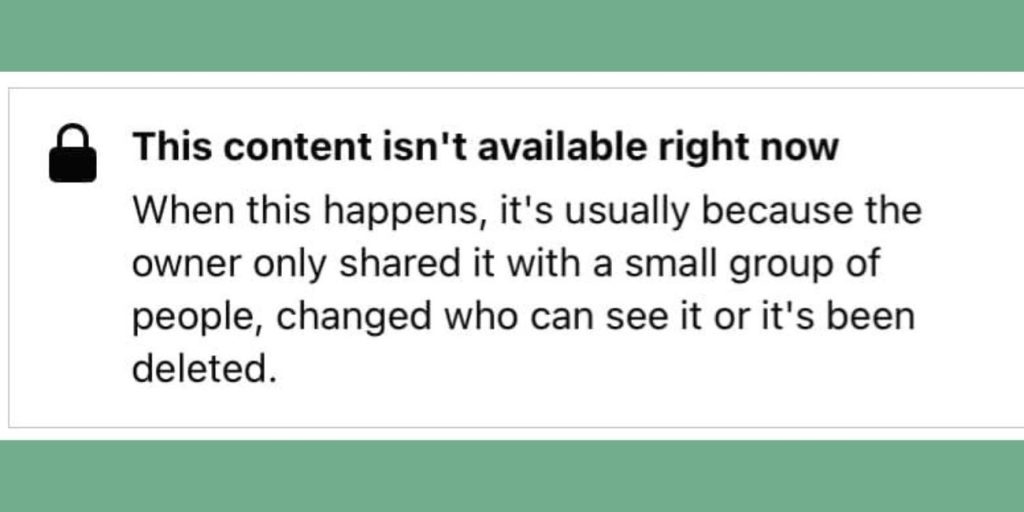
“This content isn’t available at the moment” is a general error message. Facebook uses it when content exists or existed, but you can’t view it right now.
It does not always mean the same thing. Sometimes the post is gone. Sometimes it’s still there, just not visible to you. The message covers many cases under one line, which causes confusion.
The key thing to remember is this. Facebook is blocking access, not your device.
The Most Common Reasons You See This Message
In most cases, one of these reasons applies:
- The post was deleted by the person who shared it
- The post privacy was changed to friends only or private
- The account, page, or group was removed
- You were blocked by the person who posted it
- The content was removed by Facebook
- The group is private or no longer exists
Facebook uses the same message for all of these situations. That’s why the message feels unclear.
Deleted Content vs Privacy Changes
Deleted content is simple. Once a post is deleted, it’s gone for everyone. No one can open it again, even with the original link.
Privacy changes are different. A post may still exist, but only certain people can see it. For example, a post shared publicly may later be changed to friends only. If you are not on that list, Facebook hides it from you.
Group posts work the same way. If a group becomes private or you leave it, older links to posts inside that group may stop working.
Could This Be a Temporary Facebook Issue?
Sometimes the problem is temporary, but this is less common.
Things on your side that can cause short term issues include:
- App cache problems
- Being logged out without noticing
- Using an outdated Facebook app
- Temporary server problems
In these cases, refreshing the page, logging back in, or reopening the app may help. If the content comes back later, it was likely a temporary issue.
If the message stays the same every time, the content is probably restricted or removed.
How to Check What Actually Happened
You can try a few simple checks to understand the reason.
- Open the link in a private or incognito browser
- Make sure you are logged into Facebook
- Check the post from another device
- Search for the post directly on the page or profile
- Ask the person who shared it if it still exists
If none of these work, the content is likely deleted or no longer visible to you.
What You Can Fix and What You Can’t
Some issues are under your control. Others are not.
You can fix:
- Login problems
- App update issues
- Cache related loading errors
You cannot fix:
- Deleted posts
- Content removed by Facebook
- Posts hidden by privacy settings
- Being blocked by another user
- Deleted pages or groups
Knowing this saves time. There’s no point refreshing endlessly if the content is gone.
When the Content Is Gone for Good?
In some cases, the message means the content will never return.
This happens when:
- Facebook removes content under Community Standards
- A page or group is permanently deleted
- An account is disabled
- Old links point to content that no longer exists
Facebook usually does not restore removed content, especially if it breaks rules or comes from deleted accounts.
Final Thoughts
“This content isn’t available at the moment” is not a technical error most of the time. It’s a visibility issue. The post is deleted, private, or restricted in some way.
Once you understand the reason, the message becomes less frustrating. There is usually nothing wrong with your app or device.
If this article helped you figure out what happened, share it with someone else who keeps seeing this message.
And if you’ve run into this issue in a different way, leave a comment and explain what caused it for you.