


Artificial intelligence has transformed the way people edit and enhance audio, making it easier than ever to adjust vocal characteristics such as pitch. Whether someone wants to feminize or masculinize a voice, correct off-key singing, or create character voices for content, AI tools provide fast, precise solutions without requiring advanced audio engineering skills. With the right process and tools, even beginners can achieve natural-sounding pitch adjustments in minutes.
TLDR: AI-powered tools make it simple to raise vocal pitch for singing, voiceovers, streaming, or personal projects. The process typically involves recording clean audio, uploading it into an AI-based pitch editor or voice changer, adjusting pitch settings carefully, and refining the output for natural sound. Popular tools like Voicemod, Melodyne, and online AI voice changers offer varying levels of control. For best results, subtle adjustments and proper audio quality are key.
Understanding Vocal Pitch and How AI Changes It
Vocal pitch refers to how high or low a voice sounds. It is primarily determined by the frequency of sound waves produced by the vocal cords. Higher frequency equals higher pitch, while lower frequency equals deeper tone.
Traditionally, raising pitch required manual editing in complex digital audio workstations (DAWs). Today, AI-driven pitch shifting algorithms analyze vocal patterns and adjust frequencies automatically. More advanced AI tools even preserve natural tone, breathiness, and emotional expression while modifying pitch.


Modern AI systems rely on:
- Machine learning models trained on thousands of voice samples
- Real-time frequency detection to identify pitch variations
- Formant preservation technology to prevent artificial “chipmunk” effects
Understanding these fundamentals helps users choose the right tool and apply pitch changes more effectively.
Reasons for Raising Vocal Pitch
There are several reasons someone might want to raise their vocal pitch using AI:
- Singing correction – Fixing slightly flat notes
- Voice feminization – Creating a higher, softer vocal tone
- Character creation – Producing animated or stylized voices
- Content creation – Making engaging TikTok, YouTube, or podcast audio
- Gaming and streaming – Real-time voice transformation
Each purpose may require a different tool depending on whether the user needs real-time processing or post-production editing.
Step-by-Step Guide to Raising Vocal Pitch Using AI
Step 1: Record High-Quality Audio
The quality of the final output depends heavily on the original recording. Before applying AI adjustments:
- Use a condenser or high-quality USB microphone
- Record in a quiet environment
- Avoid background noise and echo
- Maintain consistent distance from the microphone
Clean audio ensures that AI algorithms can accurately detect pitch without distortion.
Step 2: Choose the Right AI Tool
There are different categories of AI pitch tools:
- Real-time voice changers (for streaming and gaming)
- AI pitch correction plugins (for music production)
- Online AI editors (quick browser-based edits)
- Professional DAW integrations (advanced editing control)
The appropriate choice depends on the intended use and technical skill level.
Step 3: Upload or Connect the Audio
For post-production tools, users simply upload their recorded file (usually WAV or MP3 format). Real-time tools require selecting the microphone as input in system audio settings.
Most AI interfaces provide visual pitch graphs to make adjustments easier.


Step 4: Adjust Pitch Gradually
Instead of dramatically increasing pitch in one step, experts recommend:
- Raising pitch in small increments (1–3 semitones at a time)
- Listening after each adjustment
- Monitoring for unnatural artifacts
Excessive pitch shifting can produce distortion or an artificial sound. Subtle adjustments often yield the most natural results.
Step 5: Preserve Formants
Formants are resonance frequencies that shape vocal tone. When pitch increases without formant correction, voices may sound squeaky or cartoonish.
Look for a setting labeled:
- Formant shift
- Formant correction
- Natural preserve
Activating this feature maintains a realistic tone while raising pitch.
Step 6: Fine-Tune and Export
After adjusting pitch:
- Apply equalization (EQ) to smooth sharp frequencies
- Add light compression for consistency
- Preview on headphones and speakers
Finally, export in high-quality format (WAV for best quality, MP3 for smaller file size).
Popular AI Tools for Raising Vocal Pitch
Here are some commonly used solutions:
1. Voicemod
- Real-time voice changer
- Beginner-friendly interface
- Ideal for gaming and streaming
2. Antares Auto-Tune
- Industry-standard pitch correction
- Professional music production
- Advanced pitch editing features
3. Celemony Melodyne
- Detailed pitch editing per note
- Formant control capabilities
- Studio-level precision
4. Adobe Podcast AI
- Browser-based enhancement
- Simple processing tools
- Good for podcasters
5. Voice.ai
- AI voice transformations
- Real-time adjustments
- Various voice models
Tool Comparison Chart
| Tool | Best For | Skill Level | Real-Time? | Formant Control |
|---|---|---|---|---|
| Voicemod | Streaming and gaming | Beginner | Yes | Limited |
| Auto-Tune | Music production | Intermediate to Advanced | No | Yes |
| Melodyne | Precision vocal editing | Advanced | No | Yes |
| Adobe Podcast AI | Podcasts | Beginner | No | Automatic |
| Voice.ai | Voice transformation | Beginner | Yes | Moderate |
Common Mistakes to Avoid
- Raising pitch too dramatically in one adjustment
- Ignoring audio quality during recording
- Over-processing with multiple effects
- Skipping formant correction
- Using low-bitrate exports
Balanced editing produces far better results than extreme transformations.
Tips for Making AI Pitch Adjustments Sound Natural
Professionals recommend the following techniques:
- Layer subtle harmonic enhancement for warmth
- Blend original and shifted tracks for realism
- Adjust tempo slightly if pitch affects rhythm
- Use de-esser tools to control sharp “S” sounds
- Monitor breath sounds for unnatural shifts

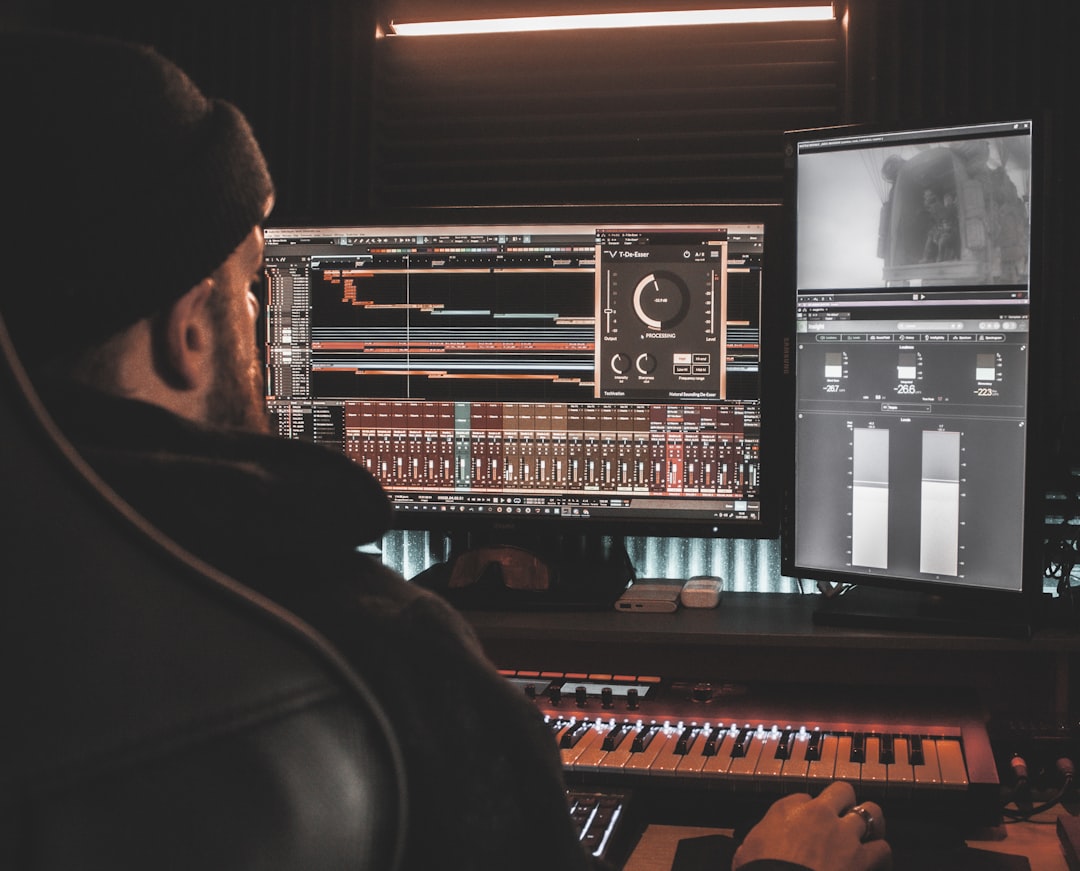
Combining AI automation with light manual adjustments typically yields the most professional outcome.
Is It Better to Train the Voice Naturally?
While AI provides immediate results, natural vocal training remains valuable. Voice coaching strengthens vocal cords and improves long-term control. However, AI pitch tools are ideal for:
- Quick corrections
- Temporary transformations
- Creative experimentation
- Content production efficiency
Many creators combine both methods, training their voice while using AI for enhancement.
Ethical Considerations
AI voice modification should be used responsibly. Users should avoid:
- Impersonating others without permission
- Creating misleading or deceptive audio
- Violating platform guidelines
Transparency and ethical usage ensure AI tools remain beneficial for creative and professional communities.
Frequently Asked Questions (FAQ)
1. How many semitones should a voice be raised to sound natural?
Typically, raising pitch by 1–4 semitones maintains a natural sound. Larger adjustments may require formant correction to avoid distortion.
2. Can AI raise pitch without making the voice sound squeaky?
Yes. Tools with formant preservation features maintain vocal tone while adjusting pitch.
3. Are free AI pitch tools good enough?
Free tools work well for casual use, streaming, or experimentation. Professional music production may require paid software with advanced editing features.
4. Is real-time pitch changing possible?
Yes. Applications like Voicemod and Voice.ai allow real-time pitch adjustment for streaming and gaming.
5. Will raising pitch affect audio quality?
It can if overdone. High-quality recordings and subtle adjustments minimize degradation.
6. Can AI completely change a male voice into a female voice?
AI can significantly adjust pitch and tone characteristics, but achieving fully natural results may require multiple adjustments, including resonance and speech pattern changes.
7. What file format is best for exporting edited vocals?
WAV files provide the highest quality, while MP3 is suitable for online sharing due to smaller file size.
AI has made vocal pitch adjustment accessible to everyone—from casual content creators to professional producers. By choosing the right tools, applying gradual adjustments, and focusing on natural sound preservation, anyone can raise vocal pitch efficiently and convincingly.