
Valorant is one of the most popular tactical shooters in the world, and before installing it, many players ask a straightforward but important question: How much storage does Valorant actually require? While the download size may appear modest at first glance, the total disk space needed can vary depending on updates, patches, and additional system components.
TL;DR: Valorant typically requires around 30–40 GB of free storage space on your PC to install and run smoothly. The initial download is smaller, but additional game files, updates, and Riot’s Vanguard anti-cheat system increase the total size. It’s recommended to have at least 50 GB of free space to allow room for future patches. Using an SSD significantly improves performance and loading times.
Base Download Size vs. Total Installed Size
When you first download Valorant, the installer itself is relatively small. However, the full installation requires significantly more space once the game files are unpacked and installed.
- Initial installer download: Approximately 100–200 MB
- Initial game download via Riot Client: Around 25–30 GB
- Total installed size after updates: 30–40 GB
The variation in total installed size depends largely on current patches and seasonal content. Riot Games frequently updates Valorant with new agents, maps, skins, events, and balance adjustments. Each update increases the overall storage requirement slightly.
Why Does Valorant Require That Much Space?
Compared to other modern first-person shooters, Valorant is relatively lightweight. Some AAA shooters exceed 100 GB. Still, 30–40 GB is not insignificant. Here’s what takes up space:
1. Core Game Files
These include:
- Map assets
- Agent models and animations
- Weapon textures and skins
- Audio files and voice lines
- User interface elements
2. Riot Vanguard Anti-Cheat
Valorant installs Riot Vanguard, its proprietary anti-cheat software. While Vanguard itself does not consume massive storage, it adds additional system-level components that slightly increase the footprint.
3. Patches and Seasonal Content
Episode updates and battle pass content can add several gigabytes over time. Even if older content is optimized or replaced, the total game size gradually grows.
Minimum vs. Recommended Free Disk Space
Technically, you may only need around 40 GB to install Valorant today. However, installing a game with minimal free space left on your drive is not recommended.
Recommended free storage:
- Minimum installation buffer: 40 GB
- Recommended comfortable space: 50–60 GB
- Ideal for long-term updates: 75 GB+
Keeping extra free storage ensures:
- Smoother patch installations
- Less system fragmentation
- Better operating system performance
- Room for temporary update files
Does Valorant Run Better on SSD or HDD?
Although Valorant can run on a traditional HDD, installing it on an SSD (Solid State Drive) offers noticeable advantages:
- Faster game launch times
- Quicker map loading
- Smoother asset streaming
- Reduced stuttering during sudden asset loads
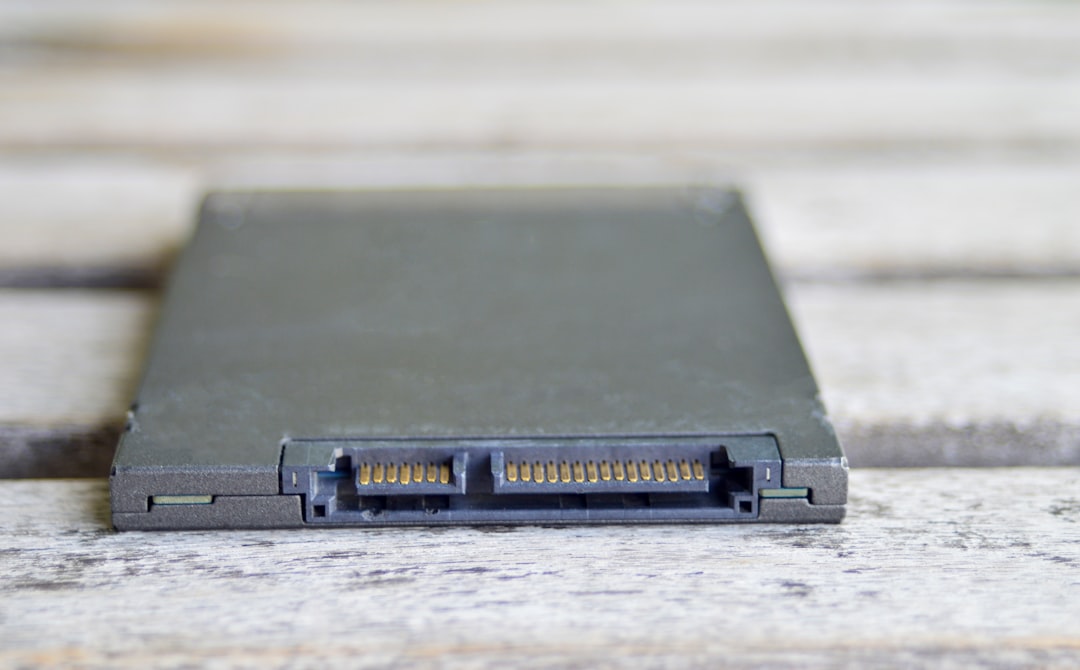
While storage size determines whether you can install the game, storage type significantly affects your gameplay experience. Competitive players in particular benefit from SSD installation.
How Valorant’s Storage Compares to Other Competitive Shooters
To put Valorant’s storage needs into perspective, here is a comparison with other popular titles:
| Game | Approximate Storage Requirement | Storage Growth Over Time |
|---|---|---|
| Valorant | 30–40 GB | Moderate |
| Counter-Strike 2 | 35–50 GB | Moderate |
| Call of Duty Warzone | 100–150+ GB | High |
| Apex Legends | 75–100 GB | High |
As shown above, Valorant remains one of the more storage-efficient modern shooters. This is partly due to its stylized art direction, which relies less on hyper-realistic, ultra-high-resolution textures that consume large amounts of disk space.
How Updates Affect Storage Over Time
Many players overlook the impact of long-term updates. Even if Valorant starts at roughly 30 GB, several years of patches may gradually increase that number.
Here’s what contributes to growth:
- New maps introduced each Episode
- Additional agent voice lines and animations
- Expanded cosmetic content
- Backend improvements and optimizations
While Riot does occasionally optimize and compress game files, modern live-service games almost always trend upward in total storage size over time.

System Requirements Beyond Storage
Storage is only one component of running Valorant effectively. Riot designed the game to be accessible across a wide range of systems. Here are the general hardware considerations:
- Operating System: Windows 10 or Windows 11 (64-bit)
- RAM: Minimum 4 GB (8 GB recommended)
- GPU: Integrated graphics supported; dedicated GPU recommended
- CPU: Dual-core processor minimum
Because Valorant is optimized for performance and esports-level responsiveness, it runs well even on modest hardware — provided storage space is sufficient and the drive is in good health.
How to Check Available Storage on Your PC
If you are unsure whether you have enough storage available, follow these steps on Windows:
- Open File Explorer
- Click on This PC
- Check the available space under your primary drive (usually C:)
Ideally, your drive should not exceed 80–85% capacity usage. Operating systems perform best with additional breathing room for temporary files and caching.
Tips to Free Up Space for Valorant
If you are running low on storage, consider the following steps:
- Uninstall unused games
- Delete temporary files via Disk Cleanup
- Move large media files to external storage
- Upgrade to a larger SSD
- Use cloud storage for documents and backups
Upgrading storage has become relatively affordable, and modern NVMe SSDs offer both increased capacity and dramatic performance improvements.
Does Valorant Require Additional Storage for Replays or Clips?
Valorant itself does not store large replay libraries locally in the way some games do. However, if you use:
- Screen recording software
- Third-party clipping tools
- Streaming applications
Your personal recordings may quickly consume tens of gigabytes. Players who frequently record gameplay should plan for additional storage beyond the game’s base requirements.
Planning for the Future
Valorant continues to grow in popularity and content scope. As Riot introduces new technology, agents, visual upgrades, or expanded features, storage requirements will inevitably increase.
To remain prepared:
- Aim for at least 50 GB free before installing
- Consider SSD installation as standard
- Monitor available space after major Episode updates
- Plan additional headroom for the next 2–3 years of updates
Final Assessment
So, how much storage does Valorant require? In practical terms, you should expect the game to occupy 30–40 GB of disk space today. While that makes it substantially lighter than many modern shooters, it is not insignificant. Allocating at least 50 GB of free storage ensures smooth installation, future update flexibility, and optimal system performance.
Valorant’s efficient design reflects its commitment to competitive accessibility. With the right amount of available storage — preferably on an SSD — most modern PCs can run the game reliably and smoothly. Planning ahead for updates will help ensure you stay ready for every new map, agent, and ranked season without worrying about disk space constraints.