


Have you ever clicked a button on a website and nothing happened? Or filled out a form and hit submit… only to watch it spin forever? Now imagine you are the product team trying to figure out what went wrong. You were not there. You cannot see what the user saw. All you have is a bug report that says, “It’s broken.” That is where frontend error replay platforms like FullStory come in.
TLDR: Frontend error replay tools record what users do on your website or app. They let you replay sessions like a video to see bugs in action. This helps teams fix problems faster and improve user experience. Think of it as a security camera for your product’s frontend.
Let’s break it down in a simple and fun way.
What Is a Frontend Error Replay Platform?
A frontend error replay platform records how users interact with your website or app. It captures clicks, scrolls, taps, typing, and errors. Then it lets you “replay” that session later.
It is like watching a screen recording. But smarter.
Instead of guessing what happened, you can see exactly what happened.
- Where the user clicked
- What they typed
- Which page they visited
- What error popped up
- Where they got stuck
This makes debugging much easier. And faster.
Why Traditional Error Logs Are Not Enough
Before these tools existed, developers relied on logs and error messages.
Logs are helpful. But they can be vague.
You might see something like:
TypeError: Cannot read property ‘length’ of undefined
Great. But where did it happen? What was the user doing? Which page? Which button?
You start guessing.
Error replay removes the guesswork.
You click into a session. You hit play. You watch the user move through the site. When the error happens, you see it.
It feels a bit like time travel.
How It Actually Works
Let’s keep this simple.
When you install a replay tool, you add a small script to your frontend. This script listens for events. Clicks. Scrolls. Inputs. Navigation changes.
It does not usually record a full video. Instead, it records:
- DOM changes
- User interactions
- Network requests
- Console errors
Later, the tool reconstructs the page. It rebuilds the session visually in your dashboard.
You can pause. Rewind. Inspect elements.

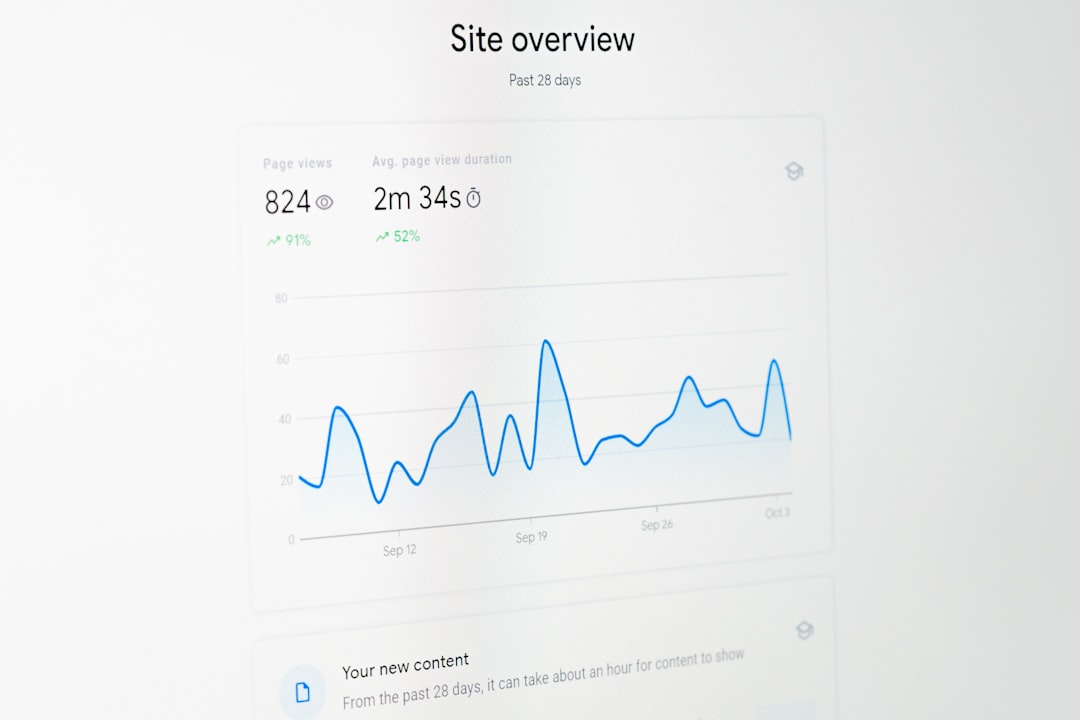
This is powerful because it connects the technical world and the human world. Developers see code errors. Product managers see user behavior. Designers see UX flaws. Everyone speaks the same language.
Common Problems These Tools Help Solve
Let’s look at real-life scenarios.
1. The “Submit Button Does Nothing” Problem
A user clicks submit. Nothing happens. They leave.
Without replay, you might not even know this happened. Or you might receive a support ticket days later.
With replay:
- You see the click event fire.
- You notice a JavaScript error.
- You realize the API call failed.
Bug found. Faster fix. Happier users.
2. Rage Clicks
Rage clicks are when users click repeatedly on something.
That usually means frustration.
Error replay tools detect this pattern. Now you know that button is confusing or broken.
3. Broken Layouts
Maybe your site works perfectly on your machine.
But a user on a small screen sees a hidden button. Or overlapping text.
Replay shows you their screen size and layout. The issue becomes obvious.
4. Multi-Step Forms That Fail
Users drop off halfway through a form.
Why?
Replay might reveal:
- A validation bug
- A confusing error message
- A required field that is not clear
Now you can improve the flow.
The Magic of Seeing Through the User’s Eyes
Data is great. Metrics are helpful. But numbers do not always tell a story.
Replay tools give context.
Instead of seeing “30% drop-off rate,” you see:
- The exact page users leave
- What they tried before leaving
- Whether an error occurred
This creates empathy.
And empathy leads to better products.


When you watch a user struggle, it becomes real. You feel urgency. You want to fix it.
Benefits for Different Teams
Error replay is not just for developers.
For Developers
- Reproduce bugs quickly
- Link errors to actual user behavior
- Reduce back-and-forth with QA
This saves time. And sanity.
For Product Managers
- Understand drop-offs
- See adoption of new features
- Validate assumptions
No more guessing why a feature is underperforming.
For Designers
- Spot confusing layouts
- Identify scroll depth issues
- Notice hover or click confusion
Design becomes more evidence-based.
For Support Teams
Imagine a user writes in:
“Your app is broken.”
That is not very helpful.
But with replay tools, support can:
- Pull the user’s recent session
- Watch what happened
- Provide a specific answer
Support becomes faster and more accurate.
Privacy and Data Concerns
This part is important.
You are recording user sessions. That sounds scary.
Good replay platforms take privacy seriously.
They allow:
- Masking sensitive fields like passwords
- Hiding credit card inputs
- Ignoring specific DOM elements
Some also let you control:
- Which users are tracked
- Data retention time
- Regional compliance rules
You still need to follow laws like GDPR and CCPA. Always be transparent with users.
But when configured correctly, these tools can be safe and compliant.
Error Replay vs Traditional Analytics
Let’s compare.
Traditional analytics tells you:
- Page views
- Bounce rate
- Conversion rate
- Time on page
Error replay tools tell you:
- What actually happened
- How users behaved
- Where the experience broke
Analytics answers what.
Replay answers why.
You need both.
When Should You Use a Tool Like FullStory?
Not every project needs full session replay.
But it is extremely helpful when:
- You run a SaaS product
- You have complex user flows
- You handle payments or forms
- You care deeply about user experience
If users generate revenue through your product, every bug matters.
And if bugs cost money, replay tools often pay for themselves.


Think of the alternative.
Users hit errors. They leave quietly. You never know why.
That is expensive.
Real-World Workflow Example
Let’s imagine a user cannot complete checkout.
- The tool captures a JavaScript error.
- It ties the error to a specific session.
- You open the session replay.
- You watch the user add items to the cart.
- They enter shipping details.
- They click “Pay.”
- The screen freezes.
You inspect the console inside the replay dashboard.
You see a failed network request.
You identify a missing parameter in the payment API call.
You fix it. Deploy.
Problem solved.
Without replay, this could have taken hours. Or days.
Things to Watch Out For
Like any tool, error replay is not magic.
Here are some considerations:
- Performance: Make sure the script does not slow down your site.
- Cost: Many tools charge per session or user volume.
- Storage: Sessions can generate large amounts of data.
- Over-reliance: Do not ignore proper logging and monitoring.
Use replay as part of a bigger observability strategy.
Combine it with:
- Error tracking tools
- Backend monitoring
- Performance metrics
- User feedback surveys
Together, they give a complete picture.
The Bigger Picture: Better User Experience
At the end of the day, frontend error replay platforms are not about spying on users.
They are about understanding them.
Every frustrated click is feedback.
Every broken flow is an opportunity to improve.
When you can see what users experience, you build better empathy. When you build empathy, you design better solutions. When you design better solutions, users stay longer. They trust you more. They convert more.
That is the real power.
Tools like FullStory turn invisible problems into visible moments. They transform confusing bug reports into clear, watchable stories. They shorten the path from “Something is wrong” to “It is fixed.”
And in today’s fast-moving digital world, that speed makes all the difference.
Because sometimes, the best way to fix a problem… is to press play and watch what really happened.