
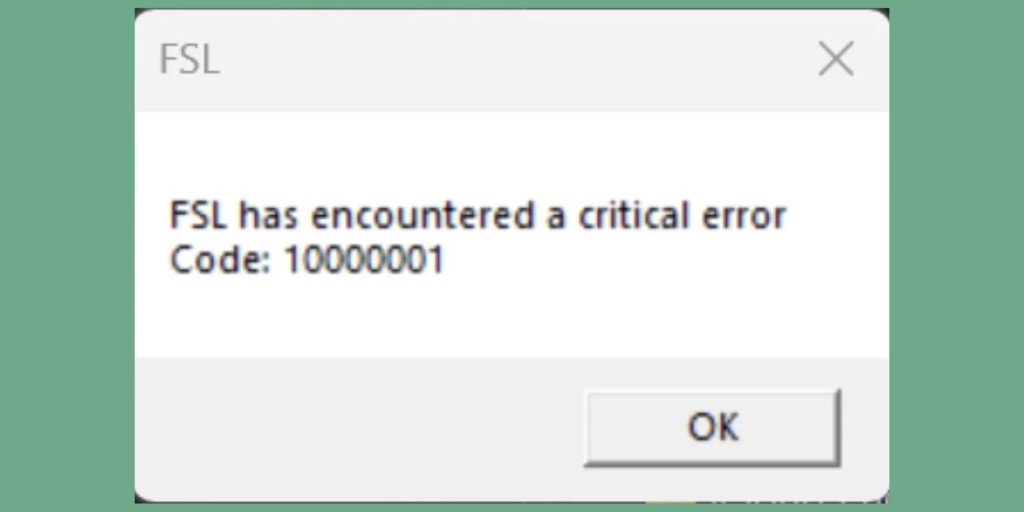
You try to launch your modded setup in Grand Theft Auto V and instead of loading, a message appears saying FSL has encountered a critical error – Code 10000001. After that, the game does not start at all.
This error is common when using mods or tools connected to FSL. It usually appears when something fails at a deeper level, not just a small glitch. That is why the message says “critical error.”
In simple words, the tool cannot run properly, so it stops everything to avoid crashing the game.
What Is FSL Critical Error Code 10000001?
FSL in this context is often used with modding tools or bypass systems related to Grand Theft Auto V. It works alongside the game to load modified files or bypass certain checks.
Error code 10000001 usually means a fatal error inside the tool itself. Something failed during startup. It could be file loading, compatibility, or a blocked process.
Because FSL runs before or alongside the game, if it fails, the game will not launch at all.
Why FSL Shows Critical Error Code 10000001
This error is not random. It usually happens when mods or system setup are not aligned properly.
Here are the most common causes:
- Incompatible or outdated mods
- Missing or corrupted mod files
- Conflict between multiple mods
- Antivirus blocking FSL files
- Incorrect game version or update mismatch
- Broken installation of FSL or related tool
Even one wrong file can break the whole chain. That is why this error appears suddenly.
How to Fix FSL Critical Error Code 10000001
If you are using mods with Grand Theft Auto V and see this error, follow these fixes carefully. Do not rush. Fix one thing at a time.
1. Check Mod Compatibility
Mods must match your game version. If the game updates but your mods stay old, conflicts happen.
Look at the mods you installed recently. Check if they support your current game version. If not, remove or update them.
This is one of the most common reasons behind this error.
2. Remove Recently Added Mods
If the error started after installing a new mod, that mod is likely the cause.
Remove the latest mods you added and try launching again. If the game works, you found the issue.
You can then add mods back one by one to see which one breaks the system.
3. Disable Antivirus Temporarily
Some antivirus programs block modding tools or injectors like FSL because they modify game files.
This can stop FSL from loading properly.
Temporarily disable antivirus software and try launching the game again. If it works, add the tool or game folder to exceptions.
4. Verify Game Files
Sometimes base game files get corrupted. When that happens, mod tools cannot attach correctly.
Use your launcher to verify files.
- Open Steam or Rockstar launcher
- Go to game settings
- Verify integrity of game files
This restores missing or broken files.
5. Reinstall FSL or Mod Loader
If the tool itself is broken, reinstalling is the best option.
Remove FSL completely, then install a fresh version from a trusted source. Make sure you place files correctly in the game directory.
This resets the tool and removes hidden errors.
6. Check Game Version
If your game updated recently, older tools may stop working.
Make sure your FSL version supports your current Grand Theft Auto V build. If not, wait for an updated version or downgrade if needed.
7. Close Conflicting Programs
Some background apps can interfere with mod tools. Overlays or monitoring tools may block injection processes.
Close unnecessary apps using Task Manager before launching the game.
This creates a cleaner environment for FSL to run.
Is This Error From Mods or System
In most cases, this error comes from mods or the tool itself. It is rarely a system problem.
When mods are not updated or conflict with each other, FSL fails to load and shows this error.
System issues like antivirus or background apps can also contribute, but they are usually secondary causes.
How to Prevent FSL Critical Error
If you want to avoid this error in future, keep things simple and controlled.
- Install mods from trusted sources
- Avoid mixing too many mods at once
- Update mods when the game updates
- Keep backup of original files
- Test mods one by one instead of all at once
This helps you find problems early and avoid crashes.
Final Thoughts
FSL critical error code 10000001 looks serious, but it usually comes from mod conflicts or version mismatch.
Fix your mods, check compatibility, and keep your setup clean. That solves most cases.
If this guide helped you, share it with others. And if you are still stuck, tell me which mods you are using. We can figure it out step by step.