


Many people call it the Meta display case, but for Ray-Ban Meta glasses it is really a charging case, not just a storage case. That is why this question comes up so often. If the case only held the glasses, it would work like a normal protective case. But this one does more than that.
Yes, the Meta case has its own built-in battery. The case stores power and charges the glasses when they are placed inside correctly. So the case is not only for carrying the glasses. It also works as a portable charger.
What does the Meta Case Battery do?
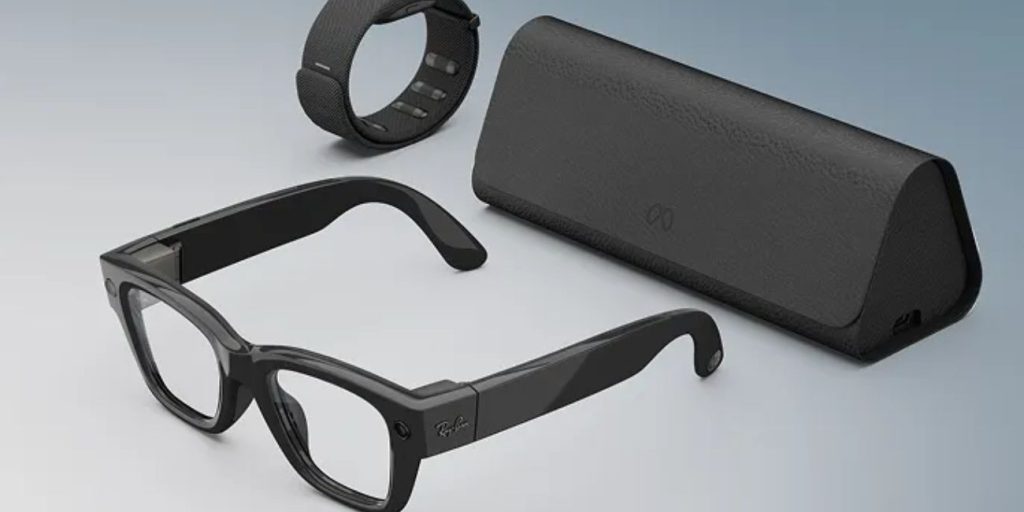

The battery inside the case gives you portable charging. When the glasses run low, the case can recharge them without needing to stay plugged into a wall all the time. That makes the case part charger and part protective case.
The case also helps with battery checking. You can check charge information through the Meta AI app, and you can also use the case button and front LED to get battery status. So the case battery is not just there for power. It is also part of how the charging system works day to day.
How to Charge the Meta Case
Charging the case is simple. The case uses a USB-C port on the bottom.
Follow these steps:
- Connect a USB-C cable to the case
- Plug the other end into a power adapter
- Leave the case connected until it charges
- Check the LED or app for battery status
If the case does not seem to charge, try another cable or another adapter. Sometimes the issue is not the case itself. It can be the charger setup.
How to Check the Case Battery Level
There are two easy ways to check the battery level of the case.
In the Meta AI App
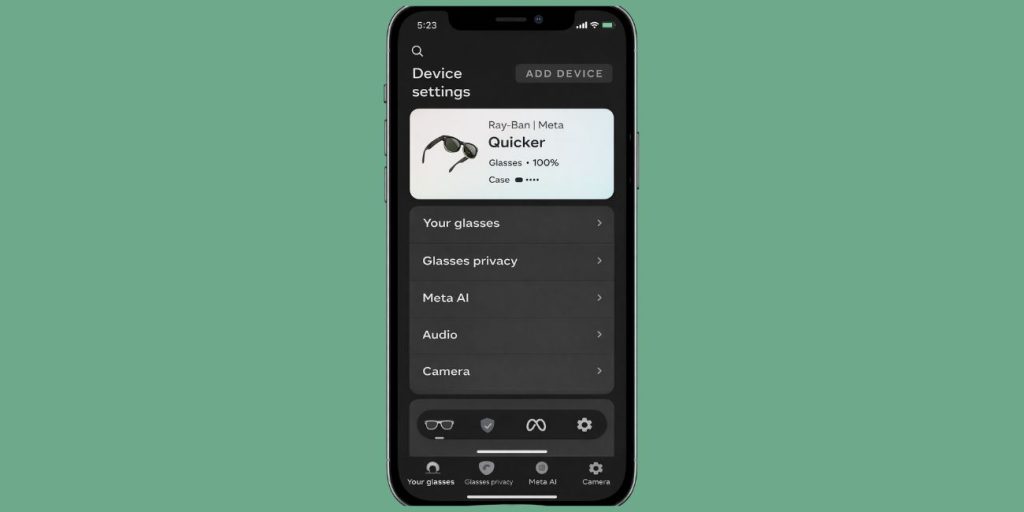
If your glasses are connected to the Meta AI app, you can open the app and check battery details there. When the glasses are in the case, the app can show both the glasses battery and the case battery.
On the Case Itself
You can also check the case battery by using the button and the LED light on the case.
Try this:
- Remove the glasses if you want to check the case battery by itself
- Press the button on the back of the case
- Look at the front LED for battery status
This gives you a quick way to check battery without opening the app every time.
Common Meta Case Battery Problems
Most Meta case battery problems are simple. In many cases, the problem comes from charging setup, dirty contacts, or the glasses not sitting in the case the right way.
Common issues include:
- Case Battery Is Empty
- Glasses Are Not Charging in the Case
- The LED Does Not Respond
- Charging Feels Very Slow
- The App Does Not Show Case Battery
- A Red Blinking Light Appears
These problems do not always mean the battery is bad. Often the fix is much smaller.
How to Fix Meta Case Charging Problems
If the case is not working the way it should, start with the basic checks first.
- Charge the Case Fully
If the case battery is empty, it may not charge the glasses at all. Plug it in and give it enough time to build charge before testing again. - Check the USB-C Cable and Adapter
A weak cable or bad adapter can stop the case from charging properly. Try a different USB-C cable and a different power adapter if needed. - Clean the Charging Areas
Charging can fail if the contact points are dirty. Clean the charging contacts on the glasses and inside the case gently, then try again. - Make Sure the Glasses Are Docked Correctly
The glasses need to sit in the case the right way so the charging connection works. If they are not seated correctly, charging may not begin. - Watch for Error Lights
If the LED blinks red or shows another unusual pattern, the case may be warning you about a charging problem. In that case, check the cable, charging position, and power source first. - Check for Heat or Moisture
Too much heat or moisture can stop charging from working normally. Let the case cool down and make sure the charging area is dry before trying again.
Is the Meta Case Only for Storage?
No, it is not only for storage. The Meta case is a charging case with a built-in battery. It protects the glasses, but it also stores power and recharges them while you carry them.
That is what makes it different from a normal case. A normal case only stores the glasses. This one stores the glasses and also helps keep them charged.
Final Thoughts
Yes, the Meta display case has a battery. More clearly, the Ray-Ban Meta charging case has a built-in battery that stores power and charges the glasses when they are docked inside.
So if you were wondering whether the case is just a holder, the answer is no. It is part of the charging system. You can charge it with USB-C, check its battery in the app or with the LED, and solve most common issues with a few simple checks.