



APIs are the invisible engines of modern apps. They connect tools, move data, and power AI features behind the scenes. But when your app starts making thousands or even millions of AI API calls, things can get messy fast. Costs rise. Errors hide. Performance drops. That is where AI API gateway platforms like Helicone step in to save the day.
TLDR: AI API gateways help you track, manage, and optimize your AI API usage in one place. They show you who is using what, how much it costs, and where errors happen. Platforms like Helicone add monitoring, logging, and analytics without major code changes. If you use AI APIs at scale, these tools give you control and visibility.
Let’s break this down in a simple way.
What Is an AI API Gateway?
An API gateway is like a smart traffic controller. All API requests pass through it before reaching their destination. Instead of your app talking directly to an AI provider, it talks to the gateway first.
The gateway then:
- Forwards the request to the AI provider
- Captures usage data
- Logs responses
- Tracks performance
- Applies rules and limits
Think of it as a security guard, accountant, and analyst combined into one tool.
Now imagine you are using OpenAI, Anthropic, or another AI model provider. Every prompt and response costs money. Without monitoring, you are flying blind.
That is risky.
Why Monitoring AI API Usage Matters
AI models are powerful. But they are not cheap. Small mistakes can create large bills.
Here are common problems teams face:
- Unexpected spikes in usage
- Runaway scripts generating infinite requests
- Slow responses hurting user experience
- Debugging blind spots
- No visibility into which features cost the most
Without a gateway, you often rely on basic dashboards from your AI provider. Those dashboards are helpful. But they are usually limited.
You may not be able to:
- Track usage per user
- Track usage per feature
- See detailed logs of each request
- Compare models easily
This is where platforms like Helicone shine.


How Platforms Like Helicone Work
The idea is simple. You change your API base URL to point to the gateway instead of directly to the provider. That is often the only change you need.
After that, every request flows through the platform.
Here is what happens behind the scenes:
- Your app sends a prompt to the gateway.
- The gateway logs the request.
- The gateway forwards it to the AI provider.
- The response comes back.
- The gateway logs the response and sends it to your app.
All of this happens in milliseconds.
You get detailed visibility. Your users notice nothing different.
Key Features of AI API Gateway Platforms
Let’s look at the features that make these tools powerful and fun to use.
1. Request Logging
Every API call is recorded. You can see:
- The prompt
- The response
- Token usage
- Latency
- Status codes
This is gold for debugging.
If a user says, “The AI gave me a weird answer,” you can go back and see exactly what happened.
2. Cost Tracking
AI costs are usually based on tokens. More tokens mean more money.
A gateway calculates:
- Cost per request
- Cost per user
- Cost per feature
- Total cost over time
No more guessing where your budget went.
3. Performance Monitoring
Speed matters. If responses take too long, users leave.
AI gateways show:
- Average latency
- Slowest endpoints
- Error rates
- Timeout patterns
You can quickly find performance bottlenecks.
4. Rate Limiting
Want to prevent abuse? Easy.
You can set rules like:
- 100 requests per minute per user
- Token usage caps
- Daily limits
This protects your infrastructure and your wallet.
5. A/B Testing Models
Should you use Model A or Model B?
A gateway lets you experiment. You can route a percentage of traffic to different models and compare:
- Cost
- Latency
- Output quality
Data wins over guesswork.


Who Should Use AI API Gateways?
Not everyone needs one. But many teams do.
You should seriously consider an AI API gateway if you are:
- Running a SaaS product with AI features
- Building a chatbot platform
- Offering AI-generated content
- Managing multiple AI providers
- Operating at scale
Small side projects may survive without one. But once real users and real money are involved, visibility becomes critical.
Benefits for Developers
Developers love tools that reduce stress.
AI API gateways help by:
- Simplifying debugging
- Reducing production surprises
- Providing structured logs
- Making team collaboration easier
Instead of digging through random console logs, you get a clean dashboard.
You can filter by user ID. By date. By model. By error code.
It saves hours of work.
Benefits for Product Teams
This is not just a developer tool.
Product managers can learn:
- Which features drive the most AI usage
- Which users consume the most tokens
- What usage patterns look like
- Where optimization is possible
That turns AI from a black box into a measurable asset.
And leadership loves measurable assets.
Optimizing AI Costs with Smart Insights
Let’s talk money again.
Imagine you discover:
- One endpoint uses 40% of your tokens
- Long prompts are inflating costs
- A cheaper model performs almost as well
Without monitoring, you would never know.
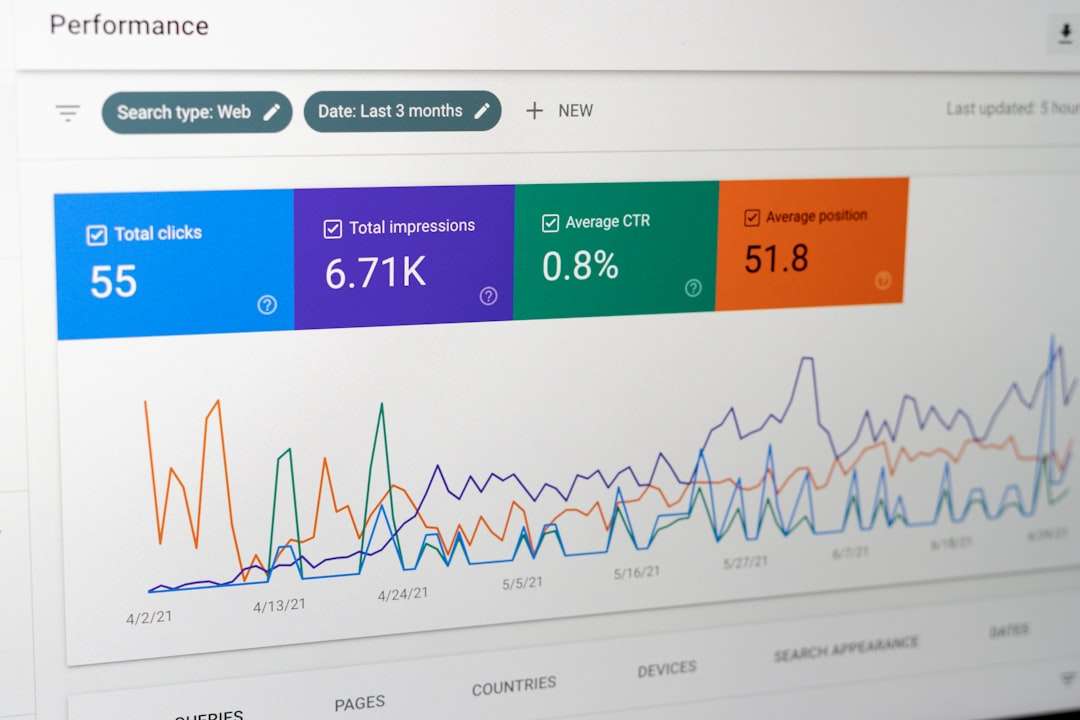
With a gateway, insights appear clearly in charts and tables.
You can then:
- Shorten prompts
- Add caching
- Switch models
- Limit unnecessary calls
Small optimizations can cut AI costs dramatically.

Security and Compliance Advantages
AI requests often contain sensitive data.
A gateway helps by:
- Centralizing logs
- Masking sensitive fields
- Controlling access permissions
- Providing audit trails
If something goes wrong, you can trace it.
If compliance requires logging, you have records ready.
Multi-Provider Flexibility
Today you might use one AI provider. Tomorrow you might use three.
AI API gateways make switching easier.
Instead of rewriting your entire codebase, you can manage provider routing from one layer.
This reduces vendor lock-in.
Flexibility is power.
Real-World Example
Let’s say you run a writing assistant app.
Users generate blog posts, emails, and product descriptions.
At first, usage is small. Costs are low. You do not worry.
Then you launch on Product Hunt. Traffic explodes.
Suddenly:
- Your daily AI bill triples
- Response times slow down
- Error rates increase
Without monitoring, you panic.
With a gateway in place, you open your dashboard.
You immediately see:
- Which endpoint is overloaded
- Which users are making excessive requests
- Where latency spikes occur
- How costs break down per feature
You apply rate limits. Optimize prompts. Scale smartly.
Crisis handled.
Is It Hard to Set Up?
Usually, no.
Most platforms are designed to be lightweight.
Typical setup steps:
- Create an account.
- Get an API key.
- Change your API base URL.
- Add a header for tracking.
That is often it.
You start collecting insights almost instantly.
The Future of AI API Management
AI adoption is growing fast. More apps integrate language models, image generators, and voice systems every day.
As usage grows, complexity grows too.
In the future, AI gateways will likely include:
- Automatic cost optimization suggestions
- Built-in caching layers
- Advanced anomaly detection
- Smarter routing between models
- Deeper observability tools
Managing AI will feel more like managing cloud infrastructure.
Structured. Measured. Controlled.
Final Thoughts
AI is powerful. But power without visibility is risky.
Platforms like Helicone and other AI API gateways give you something priceless: clarity.
You see what is happening. In real time.
You understand costs. You catch errors. You optimize performance.
And most importantly, you stay in control.
If you are building with AI and expect to grow, an AI API gateway is not just a nice-to-have tool.
It is your control tower in a sky full of API traffic.
And that makes scaling AI a lot less scary.