
Podcasting has evolved from a niche hobby into a mainstream content powerhouse, and with that growth comes a demand for better production quality. Fortunately, you don’t need a professional studio to produce a polished show. A wide range of podcast editing tools—many similar to GarageBand—now allow both beginners and experienced creators to record, edit, and publish like pros. Whether you’re launching your very first episode or refining your hundredth, the right software can dramatically improve your workflow and audio quality.
TLDR: Podcast editing tools like GarageBand make it easy for beginners and professionals to record, edit, and polish audio content without expensive studio setups. Options such as Audacity, Adobe Audition, Reaper, and Hindenburg offer different strengths in pricing, features, and usability. Choosing the right tool depends on your experience level, budget, and production goals. With the right software, anyone can produce high-quality, professional-sounding podcasts.
Why Podcast Editing Software Matters
High-quality editing is the difference between an amateur recording and a show listeners subscribe to. Background noise, inconsistent volume levels, awkward pauses, and verbal fillers can distract from great content. A dependable editing tool allows you to:
- Clean up background noise and static
- Balance audio levels across hosts and guests
- Cut mistakes and long pauses seamlessly
- Add music, effects, and transitions
- Export in podcast-ready formats
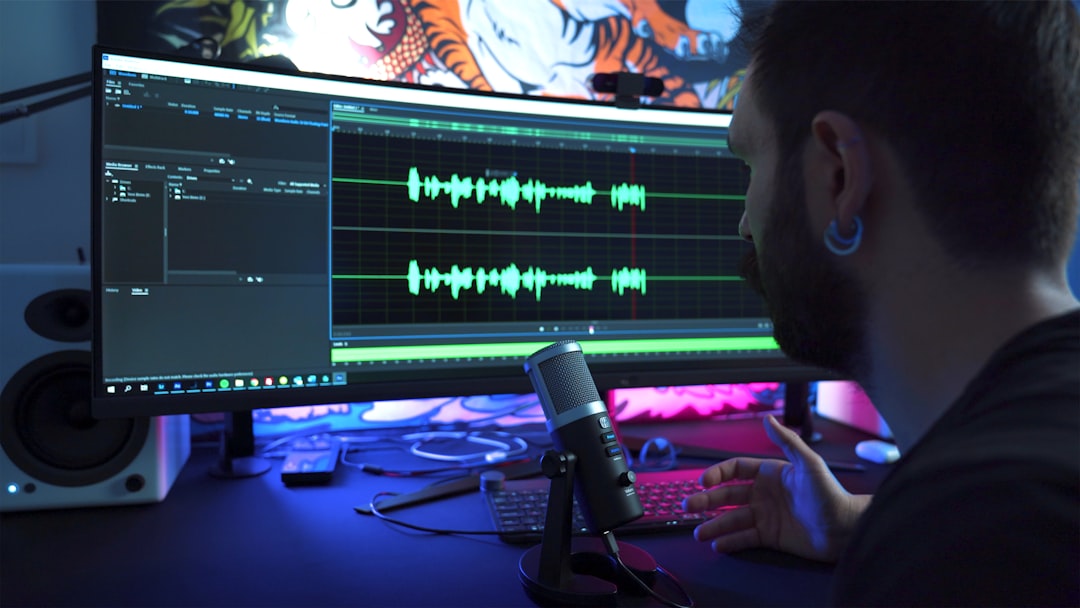
GarageBand often stands out as a starting point because it is intuitive, free for Apple users, and surprisingly powerful. But it’s far from the only option. Depending on your needs, other platforms may offer greater flexibility, advanced features, or broader compatibility.
1. GarageBand: The Beginner-Friendly Powerhouse
Best for: Mac users starting out or intermediate podcasters wanting simplicity.
GarageBand is often the first stop for new podcasters—and for good reason. Its clean interface and drag-and-drop functionality make it easy to start recording within minutes. You can layer tracks, insert music, and adjust volume using automation tools.
Key advantages:
- Free on macOS and iOS devices
- User-friendly, intuitive interface
- Built-in sound effects and music library
- Simple multi-track editing
Limitations:
- Only available on Apple devices
- Limited advanced editing features compared to premium tools
GarageBand strikes a strong balance between accessibility and capability, making it ideal for solo podcasters or small teams.
2. Audacity: The Free, Cross-Platform Classic
Best for: Beginners and budget-conscious creators using Windows, Mac, or Linux.
Audacity is a long-standing open-source audio editor that offers surprising versatility for a free tool. While its interface feels more technical than GarageBand’s, its capabilities are extensive.
Standout features:
- Completely free and open-source
- Works on multiple operating systems
- Strong noise reduction tools
- Wide plugin compatibility
Its learning curve may be slightly steeper, but countless tutorials and community forums make it manageable. Many professional podcasters still use Audacity for quick edits or supplemental production tasks.
3. Adobe Audition: Professional Precision
Best for: Professionals or serious podcasters seeking studio-level control.
Adobe Audition is a feature-rich digital audio workstation (DAW) that delivers precise editing power. From spectral frequency displays to advanced noise reduction algorithms, it’s designed for meticulous audio work.
Why professionals love it:
- Advanced waveform and spectral editing
- Batch processing for multiple files
- Seamless integration with other Adobe products
- High-end audio restoration tools
While it comes with a subscription cost, Adobe Audition is often the tool of choice for podcasts that prioritize premium sound quality or complex production elements.
4. Reaper: Affordable and Customizable
Best for: Intermediate to advanced users who want control without a high price tag.
Reaper is known for its flexibility and affordability. Though it may initially appear complex, it offers deep customization that grows with your skill level.
Notable strengths:
- Fully functional free trial
- Highly customizable interface
- Lightweight but powerful performance
- Extensive plugin support
Reaper suits podcasters who want professional-level tools without committing to enterprise pricing.
5. Hindenburg Journalist: Built for Storytellers
Best for: Narrative podcasters and journalists.
Hindenburg is designed specifically for spoken-word audio production, making it ideal for interview-driven and storytelling podcasts.
- Automatic loudness matching
- Voice-optimized processing
- Simple yet professional interface
- Ideal for long-form interviews
Unlike general DAWs, Hindenburg’s features are tailored for dialogue rather than music production, which simplifies many editing tasks.
Podcast Editing Tools Comparison Chart
| Tool | Best For | Platform | Price | Ease of Use | Professional Features |
|---|---|---|---|---|---|
| GarageBand | Beginners on Mac | macOS, iOS | Free | Very Easy | Moderate |
| Audacity | Budget users | Windows, Mac, Linux | Free | Moderate | Moderate |
| Adobe Audition | Professionals | Windows, Mac | Subscription | Advanced | High |
| Reaper | Custom workflows | Windows, Mac | Low-cost license | Moderate to Advanced | High |
| Hindenburg | Journalists | Windows, Mac | Paid | Easy to Moderate | Specialized |
Essential Features to Look For
Regardless of the tool you choose, certain features are particularly important for podcast production:
- Multi-track editing: Allows multiple voices, music, and effects.
- Noise reduction: Eliminates background hum and distractions.
- Compression and EQ: Enhances vocal clarity and balance.
- Easy exporting: Supports MP3 and WAV formats.
- Plugin compatibility: Expands functionality over time.
Even basic adjustments—like leveling audio and removing pauses—can elevate your podcast’s professionalism.
Beginner vs. Professional Workflows
Beginners often benefit from streamlined interfaces and minimal setup. Tools like GarageBand and Hindenburg allow users to focus on storytelling rather than technical complexities.
Professionals, however, may prioritize:
- Advanced signal processing
- Automation controls
- Detailed sound design
- Precise frequency editing
The key is selecting software that matches your current skill level while offering room to grow.
Tips for Producing Studio-Quality Content
Even the best editing software can’t fix poor recording quality. Follow these practical tips to maximize your results:
- Use a proper microphone: USB condenser mics are great entry points.
- Record in a quiet space: Soft furnishings reduce echo.
- Monitor with headphones: Catch issues in real time.
- Apply light compression: Maintain consistent volume.
- Keep backups: Always save your raw recordings.
Combining good recording habits with robust editing software ensures consistent, publish-ready episodes.
Choosing the Right Tool for You
If you’re just starting and use a Mac, GarageBand may be all you need. If you’re on Windows and seeking a free solution, Audacity is a reliable alternative. For podcasters building a professional brand or managing clients, investing in Adobe Audition, Reaper, or Hindenburg could be worthwhile.
Ultimately, the best podcast editing tool is one that:
- Fits your budget
- Matches your experience level
- Allows efficient workflow
- Produces broadcast-quality audio
Podcasting continues to grow, and audience expectations are rising along with it. Thanks to accessible tools like GarageBand and its competitors, producing compelling, professional-grade content has never been more achievable. Whether you’re recording in a bedroom studio or managing a full production team, the right editing platform turns raw audio into a show listeners love—and keep coming back to.