
When your PlayStation 4 suddenly refuses to install a system update and throws the SU-42477-4 error code, it can be both confusing and frustrating. This particular error is typically linked to hardware or firmware issues that prevent the console from completing an update correctly. Although it may sound serious, in many cases the problem can be resolved with the right troubleshooting steps. Understanding the true causes behind this error is essential before attempting any fix.
TL;DR: The PS4 Update Error SU-42477-4 usually appears when the console cannot properly access or communicate with its Blu ray drive during a system update. It can be caused by hardware disconnection, corrupted firmware, or incomplete updates. Common fixes include checking internal connections, updating via Safe Mode, and in severe cases, replacing hardware components. A structured troubleshooting approach can often restore your PS4 without professional repair.
What Is PS4 Update Error SU-42477-4?
Error SU-42477-4 occurs when the PS4 fails to install a system software update. While software corruption can sometimes be involved, this specific error is most commonly associated with a hardware communication issue, particularly involving the Blu ray drive.
During a firmware update, the PS4 checks all essential hardware components. If the console detects that the Blu ray drive is disconnected, malfunctioning, or replaced improperly, the update process may stop and generate this error.
The issue is especially common in:
- Consoles that have been recently opened for cleaning or repair
- PS4 systems with a damaged Blu ray drive
- Devices with loose or improperly connected ribbon cables
- Units that experienced unexpected power loss during updates
Main Causes of SU-42477-4
To fix the error effectively, it is important to identify the potential root causes. Below are the most common reasons:
1. Faulty or Disconnected Blu Ray Drive
The PS4 requires its Blu ray drive to function correctly during system updates. Even if you do not use physical discs, the firmware expects the drive to be properly connected. A loose ribbon cable or damaged drive board can trigger the error.
2. Corrupted System Software
If a previous update was interrupted due to power failure or network disruption, the system software may be partially corrupted. This prevents the console from verifying components during future updates.
3. Improper Hardware Reassembly
If the console was opened for cleaning or repair and reassembled incorrectly, connections may not be fully secure. Even a slightly misaligned ribbon cable can block communication.
4. Failing Hard Drive
Although less common, a malfunctioning hard drive may interrupt the update process. If data cannot be read or written properly, installation will fail.
How to Fix PS4 Update Error SU-42477-4
Below are the most reliable solutions, ordered from least invasive to more advanced technical intervention.
Fix 1: Restart and Retry the Update
This may sound basic, but temporary glitches can occur. Fully power down your PS4 (not Rest Mode), unplug it for 5 minutes, then attempt the update again.
Fix 2: Update Using Safe Mode
Safe Mode allows the system to reinstall firmware with minimal interference.
- Turn off the PS4 completely.
- Hold the power button for 7 seconds until you hear a second beep.
- Connect a controller via USB.
- Select Update System Software.
- Choose Update Using Internet or Update from USB Storage Device.

Updating via USB is often more reliable, especially if your connection was unstable during previous attempts.
Fix 3: Manually Reinstall System Software via USB
This method involves downloading the full PS4 system software file from the official PlayStation website and performing a complete installation.
Important: This may erase data if you choose the full initialization option.
Steps include:
- Formatting a USB drive as FAT32 or exFAT
- Creating a folder named PS4
- Inside it, creating another folder named UPDATE
- Placing the system software file inside the UPDATE folder
- Installing via Safe Mode
Fix 4: Check Blu Ray Drive Connections
If software solutions fail, hardware inspection may be required. This step is recommended only if you are comfortable handling electronics.
You should check:
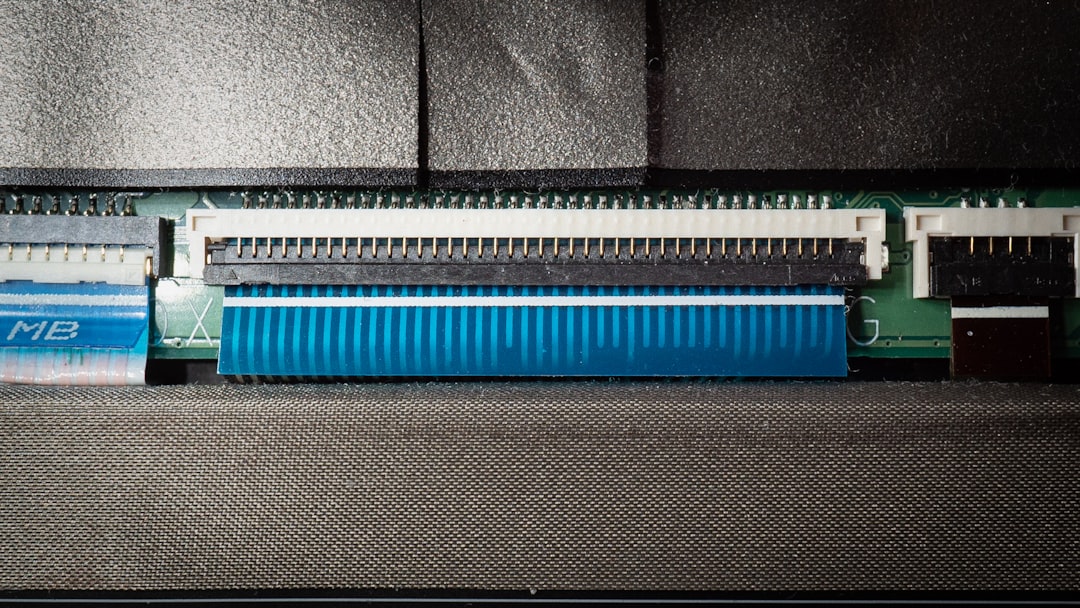
- Ribbon cable connections between motherboard and Blu ray drive
- Power cable attachment
- Physical signs of damage or corrosion
If the Blu ray drive board is damaged, it cannot simply be replaced without reprogramming. Each PS4 motherboard is paired with its original drive board.
Fix 5: Replace the Hard Drive
If you suspect the internal hard drive is failing (slow performance, corrupted data, clicking sounds), replacing it with a new HDD or SSD may resolve the issue.
After installation, you must reinstall the full system software manually.
Comparison of Common Fix Methods
| Method | Difficulty | Risk Level | Data Loss Risk | Best For |
|---|---|---|---|---|
| Simple Restart | Very Low | None | No | Minor temporary glitches |
| Safe Mode Update | Low | Low | No | Failed standard update |
| USB Full Reinstall | Moderate | Medium | Possible | Corrupted firmware |
| Check Blu Ray Hardware | High | Medium to High | No | Post repair errors |
| Replace Hard Drive | Moderate | Medium | Yes | Storage failure symptoms |
When Professional Repair Is Necessary
If none of the above solutions resolve the error, the issue is likely hardware-related at the motherboard or Blu ray drive board level.
You should consider professional repair if:
- The console was previously dropped or damaged
- The Blu ray drive does not accept or spin discs
- The update fails immediately every time
- You see additional error codes
A trained technician can test board-level components and verify whether replacement or reprogramming is required.
Preventing SU-42477-4 in the Future
Although not all causes are preventable, following best practices reduces the likelihood of recurrence.
- Avoid interrupting updates. Never unplug the console mid-update.
- Use a stable power source. Consider a surge protector.
- Do not disconnect internal components casually.
- Keep firmware updated regularly. Smaller incremental updates are less prone to corruption.
- Handle hardware repairs carefully.
Is the Console Still Usable?
In most cases, when SU-42477-4 appears, the PS4 becomes stuck in the update loop and cannot access the dashboard. This makes immediate repair necessary. However, the error does not automatically mean the console is permanently damaged.
When addressed systematically, many users successfully restore full functionality without replacing the entire device.
Final Thoughts
PS4 Update Error SU-42477-4 can seem alarming at first glance because it often hints at hardware involvement rather than simple software corruption. However, the situation is often recoverable. By beginning with Safe Mode updates and escalating only if necessary to hardware inspection, you can methodically isolate the cause.
The key takeaway is this: do not panic, and do not immediately assume the worst. In many cases, the error results from a loose connection or incomplete update rather than catastrophic motherboard failure.
A careful, structured troubleshooting approach is the safest and most reliable path to restoring your PlayStation 4 to full working condition.