
If you opened Discord and all your servers disappeared or the app showed a message saying “Guilds Unavailability,” you’re not alone. This error stops you from accessing any of your servers, no chats, no voice channels, nothing.
It’s frustrating, especially if you’re in the middle of a call, running a community, or just trying to hang out with friends. But don’t worry, this issue is almost always temporary and not something you caused.
This guide will help you understand what the error means, why it happens, and what you should (or shouldn’t) do when you see it.
What Does the Discord “Guilds Unavailability” Error Mean?

When Discord shows the “Guilds Unavailability” message, it means the app can’t load your servers, also known as guilds. You might open Discord and see only a blank page, missing channels, or that grey Discord icon with a notice. This isn’t a problem with your device or account. It usually means Discord’s servers are having a problem delivering server data to your client.
Why This Error Happens (Common Causes)
This error often appears during a platform-wide outage. It can also happen during API issues or when Discord’s infrastructure is under stress. Here are the most common reasons:
- Major outage on Discord’s backend or database layer
- A crash in the Discord API or gateway services
- Heavy global traffic or DDoS attack
- Problems with Discord’s cloud provider (like AWS or Google Cloud)
- A large-scale app update causing a backend disruption
- WebSocket failure between client and Discord servers
Sometimes, the issue is with Discord’s infrastructure and affects millions of users at the same time.
Is It Just You or Everyone?
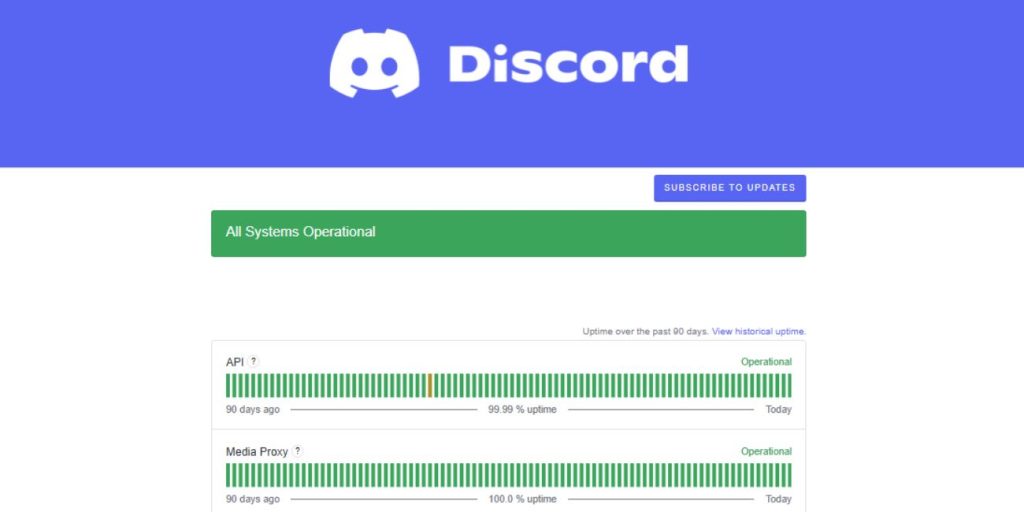
The first thing to check is whether the issue is global or local.
Visit Discord’s Official Status Page. It provides real-time updates on the API, media proxy, push notifications, and guild availability.
You can also check:
- @discord on Twitter/X – for official updates during outages
- Downdetector.com – to see user reports of Discord being down
If thousands of people are reporting the same problem, it’s not your device.
What You Can and Can’t Do Right Now
Here’s what you should do:
- Wait patiently, outages like this usually don’t last long
- Keep checking status.discord.com for updates
- Restart Discord after a few minutes to see if it reconnects
Avoid doing these:
- Don’t uninstall or reinstall Discord
- Don’t reset your router or system (it won’t fix the server-side issue)
- Don’t log in and out repeatedly, it might lock you out if Discord is unstable
There’s no benefit to trying local fixes if the issue is on Discord’s side.
Can You Fix Discord Guilds’ Unavailability Yourself?
In most cases, no, this is a Discord-side problem. Server data guilds, channels, messages is managed through Discord’s backend systems. When they go down, nothing you do locally will bring them back.
If you’re the only one having the issue after others report it’s fixed:
- Restart your device
- Clear Discord’s cache
- Try switching networks (Wi-Fi to mobile data)
- Try the browser version of Discord at discord.com
These steps only help if your client has trouble reloading after a global outage.
How Long Do These Outages Last?
Most Discord guild outages last 10 to 45 minutes. Major outages can go longer but are rare. Discord usually fixes them quickly and restores access in waves, meaning some users may get servers back before others.
Voice, video, and message history are stored on Discord’s servers and are not deleted. Your data is safe.
Conclusion
The “Guilds Unavailability” error in Discord means the app can’t connect to your servers because of a backend or API problem. It’s not a user error. The best thing to do is wait, check Discord’s status page or Twitter, and avoid reinstalling or messing with your system.
If the issue persists after Discord reports the problem is fixed, restart the app, clear the cache, or switch devices.
If this helped, share it with others. Still stuck after a fix? Let us know in the comments or contact Discord support.